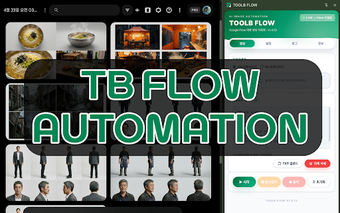
In-browser workflow manager for Chrome users
TOOLB FLOW by Toolb is a Chrome extension that organizes web-based work into named workflows to reduce tab clutter and keep project context. It places tasks, links, and notes into consolidated "Flows" so users can switch contexts without losing progress, while offering integrated task tracking and a sidebar overlay for quick access. The extension targets digital professionals, researchers, students, and project managers who need structured browser workspaces and lower context friction.
How does the extension organize browser workspaces?
The extension groups related tasks, links, and notes into named "Flows." Each Flow functions as a dedicated workspace so users keep project resources together instead of scattering tabs or bookmarks. The sidebar or overlay provides immediate access without opening separate windows, and built-in task tracking keeps objectives visible while working. This approach preserves workflow state across sessions and reduces context switching during complex web projects.
How well does it perform under many open tabs and extensions?
Toolb engineered the extension for Chromium-based browsers to reduce latency. The developer cites Chrome optimization and a minimalist interface that stays out of the way until needed. The extension is described as lightweight compared with full web apps, and it benefits from Chromium's multi-process model, where individual tab faults do not crash the entire browser, helping maintain responsiveness during heavy browsing sessions.
What data controls does the extension provide for cross-device use?
Storage relies on local data or Chrome's sync storage, depending on user settings. That means Flows and settings can replicate across devices where the same Chrome profile has sync enabled. Privacy specifics are governed by the extension's Web Store privacy policy; users who require strict local-only storage should verify configuration because the extension may use Chrome sync for multi-device access.
Can the extension replace multiple third-party tab and task add-ons?
The extension combines workflow grouping and task tracking inside the browser. For many users this integrated approach reduces the need for separate tab managers and external to-do tools. Typical gains include:
- keeping project resources in one Flow
- visible tasks next to active pages
- fast context switching via the sidebar or overlay
Practical choice for browser-centric project work with predictable trade-offs
The extension is a practical option for digital professionals and students who manage concurrent web projects inside Chromium browsers, reflecting the developer's focus on an in-browser workspace. User reception highlights reduced tab fatigue and the extension's role as a lighter alternative to complex project suites. Expect trade-offs in advanced project features; the extension suits users who prioritize direct browser integration over external management software.